


1. Download Pro Tools App:
After a successfull purchase/ trial checkout, a license key and app download link is sent to your Email, check spam folder, if email is not landed in inbox.
Add support@poshmarktools.com in trusted email list, so pro tools future emails lands in your inbox.
Download app from download link sent in email or click here to Download
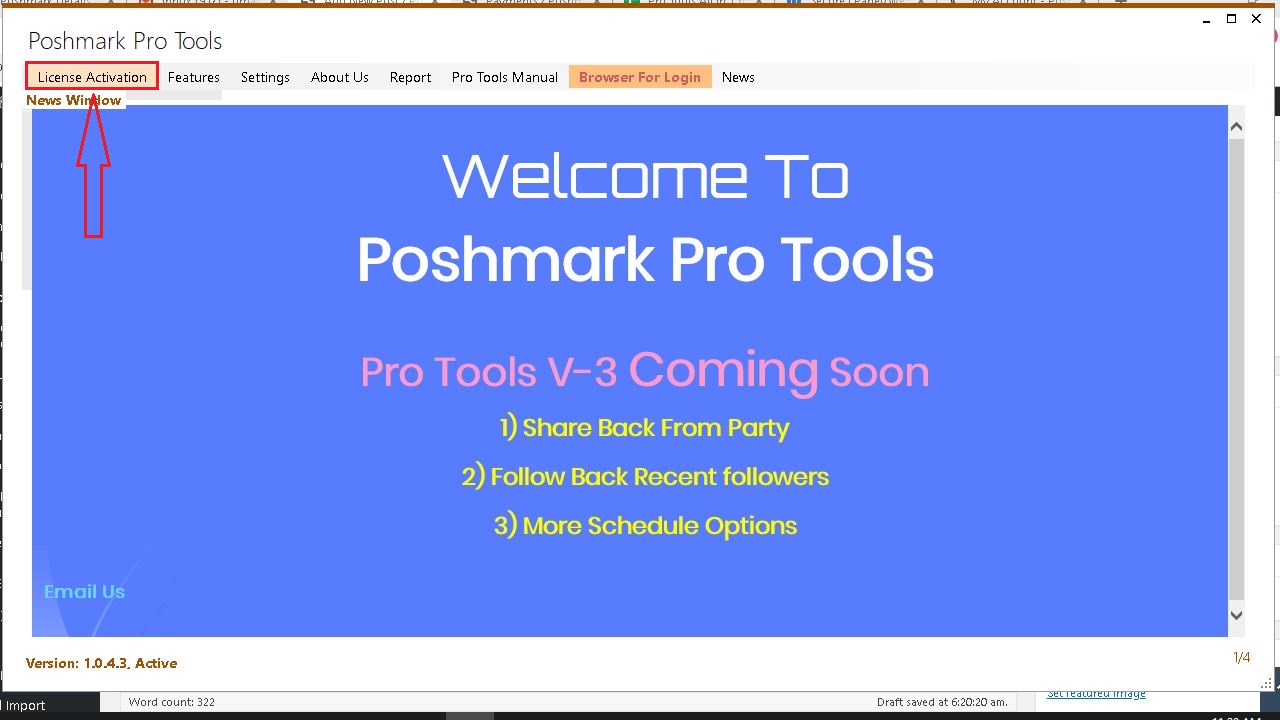
Once app is downloaded, double click the downloaded file and again double click poshmarktools.exe file (found inside the downloaded file)
Wait for the app to launch, if you gets any error email us
The protools app is launched now,
2. Activate Poshmark Tools App:
Copy your license key, it is send to your email, it can also found under Poshmark tools client are
Click here to login to your Client Area
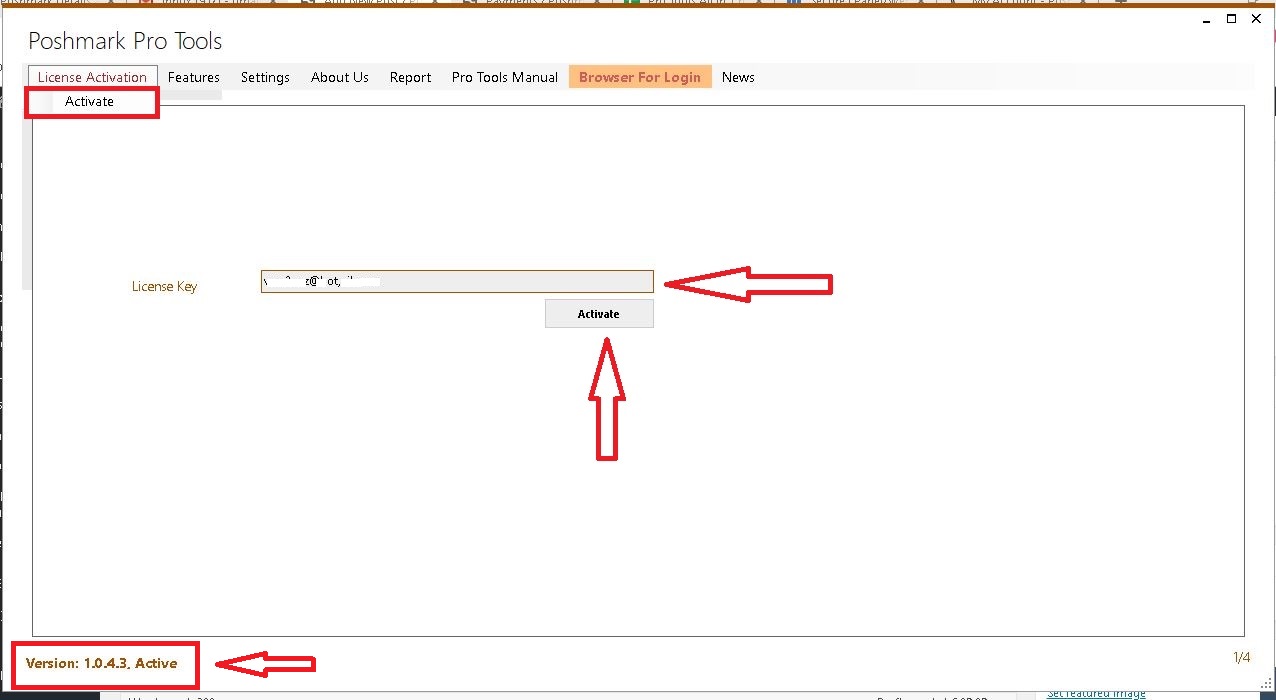
In poshmark Pro tools app, from menu click License Activation Option, On opened page type/paste your license key and click activate button.
Wait 3-5 seconds, you will be notified that your license is activated.
You can also check at lower left corner of pro tools app, a text in red shows your app current status.
Active, Your license is active and running paid subscription
Trial Running, Your license is active and running trial subscription
Trial Expired: Your trial license is expired
Cancelled: Subscription Cancelled by User/ Admin
3. Login To Poshmark Closet
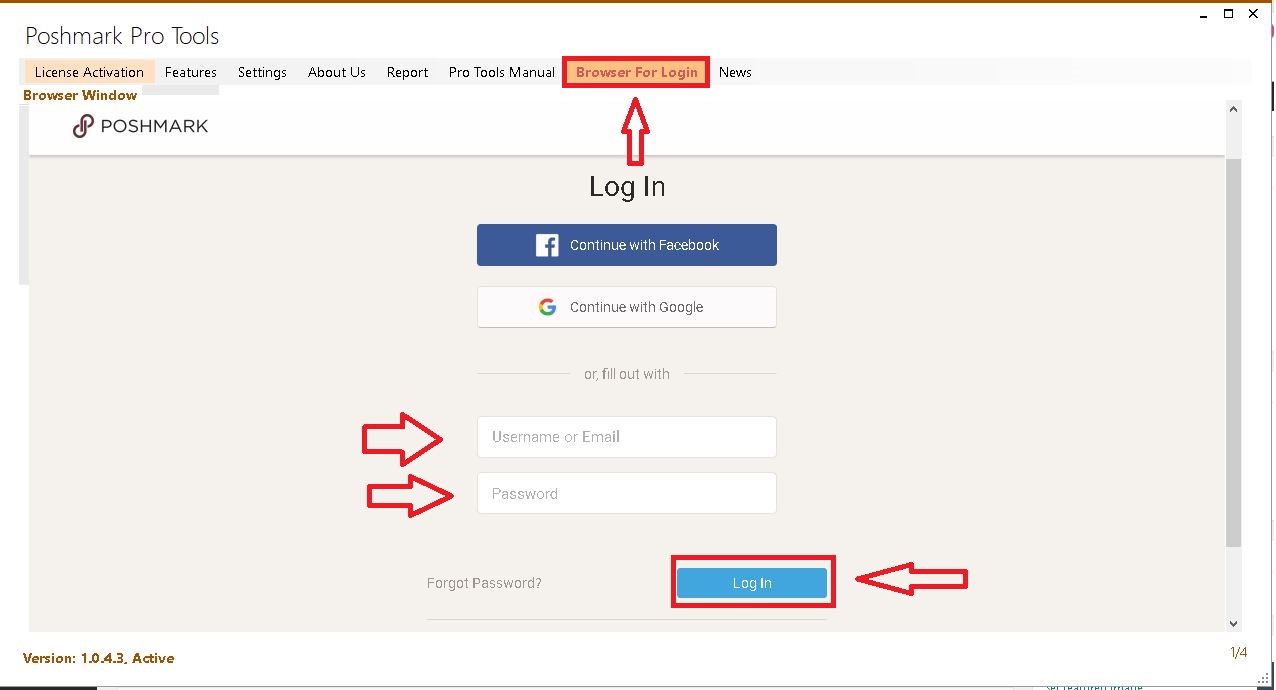
From Poshmark Tools app menu, click Browser For Login Option, You will see a poshmark login page will shown in app, if the page is blank, from menu select Settings -> Configurations and uncheck change browser option and click Browser For Login button again and check
Now login with Poshmark Closet credentials on app built-in browser
Wait 5-10 seconds for the browser to show poshmark after login
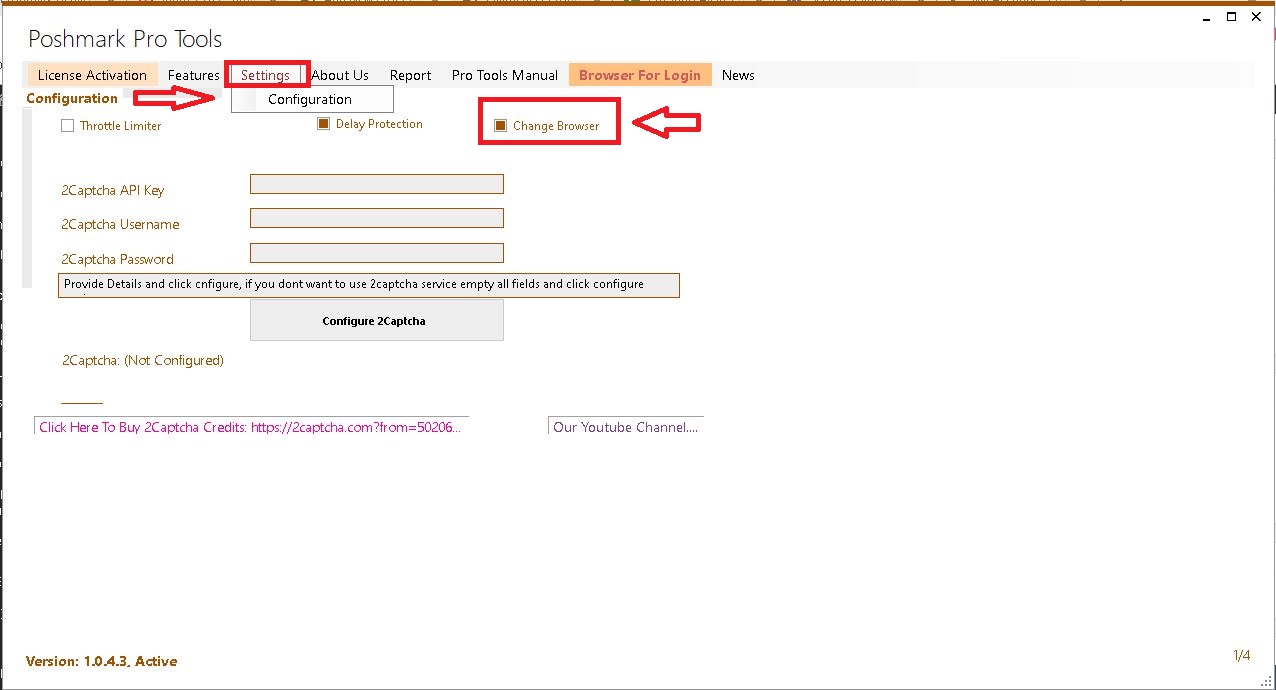
4. Start Sharing Your Closet Items
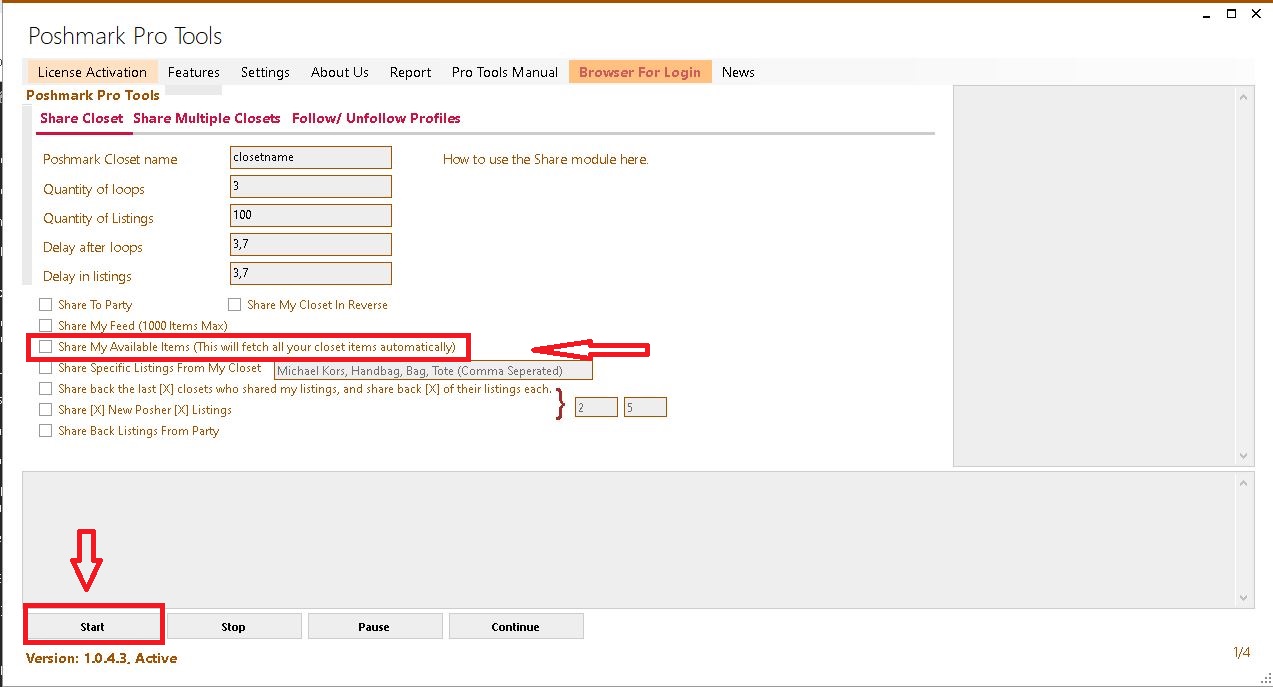
From pro tools app menu, click Features and then Poshmark Pro tools option,
on window click share my available items and click start
app will start sharing your closet items automatically





How to Get 5000 Community Shares on Poshmark?
Growing your reselling business on Poshmark requires more than just listing great items; it demands consistent visibility. While self-sharing keeps your closet fresh, community shares
How to Bulk Share on Poshmark?
Sharing is one of the most common tasks Poshmark sellers repeat every day. It helps bring listings back into view, keeps a closet active, and

How to Delete a Listing on Poshmark?
Keeping your Poshmark closet clean and accurate is important for both buyers and sellers. Sometimes, a listing is no longer needed. Maybe the item was